A bad laptop backpack looks fine online, then it hurts your shoulders, exposes your laptop, and makes every commute feel like a mistake.
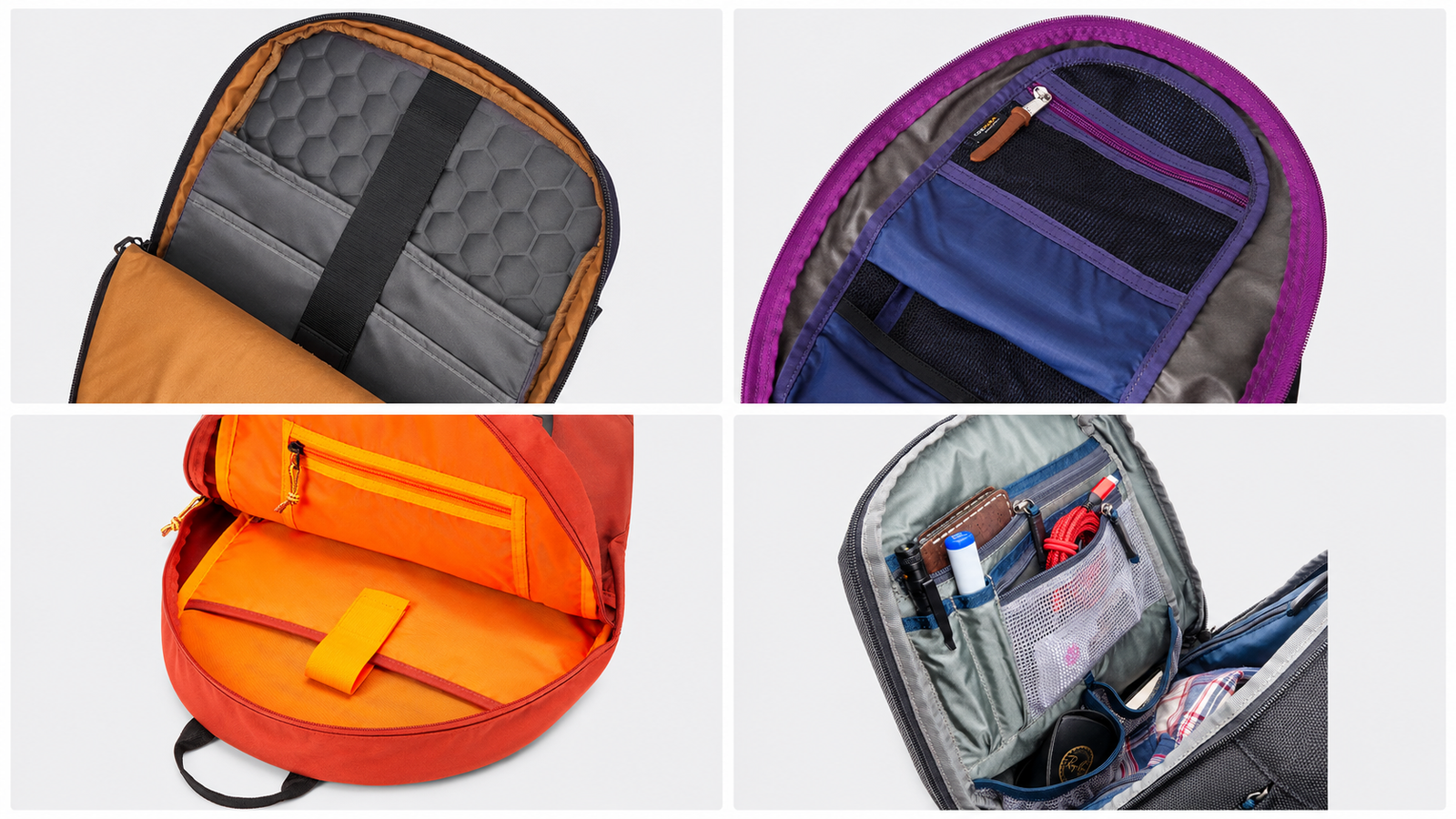
Laptop backpacks are worth it when they match your carry time, laptop risk, work setting, and budget. I would not judge them by the word “laptop” alone. I would check the compartment structure, back comfort, zipper quality, strap anchors, and the specific failure you want to avoid.
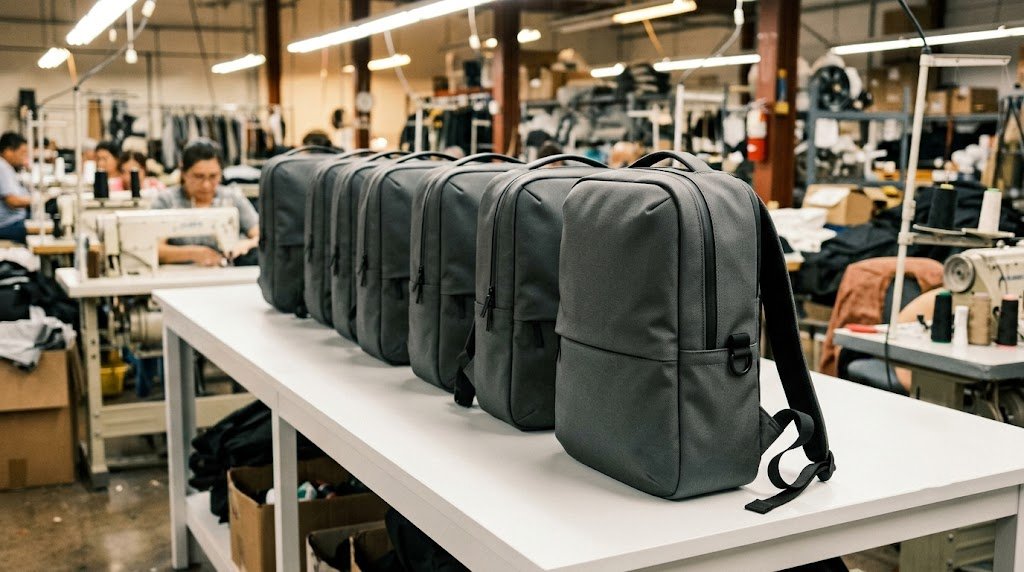
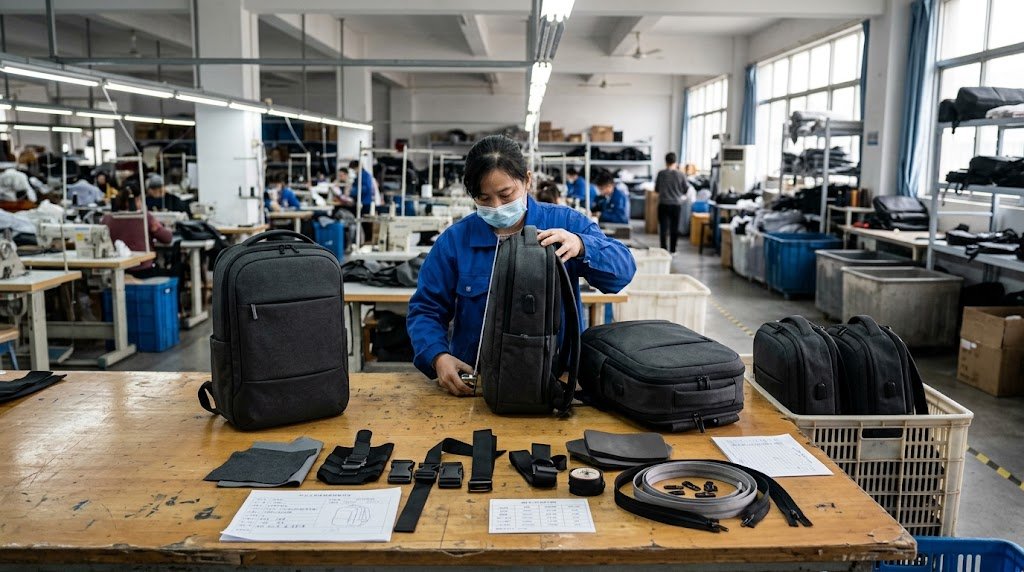
I make bags. I’ve seen exactly which decisions cause those outcomes — and which features in the product listing are just there to sell the bag.
Here’s the unfiltered factory answer.
Quick Verdict by User Type
| Who You Are | Worth It? | The One Thing That Matters Most |
|---|---|---|
| Daily commuter, 30+ min walk | ✅ Yes — invest properly | Strap density and suspended laptop base |
| Office worker, 5-min walk or drives | ✅ Yes — but mid-range is enough | Clean design and correct laptop fit |
| Student with heavy books | ✅ Yes — durability over style | Reinforced bottom and bar-tacked strap anchors |
| Frequent flyer | ✅ Yes — but different spec than commuters | Luggage pass-through, fast laptop access, stable shape |
| Occasional use, twice a month | ⚠️ A good padded sleeve may be cheaper | Don’t overbuy structure you won’t use |
| Carrying a $2,000+ laptop daily | ✅ Absolutely — match the bag to the laptop value | Suspended base, foam density, zipper gauge |
The backpack category isn’t the question. What you’re asking is: does this specific bag protect this specific laptop under this specific routine?
What Does “Worth It” Mean for Your Daily Carry?
Worth it is not a bag feature. It’s a match problem.
The wrong bag for your commute costs you more in shoulder pain and laptop risk than a better bag ever would have cost upfront. I’ve seen buyers pick a bag because it looks professional in a product photo — and then replace it in eight months because the strap anchor tore.
The Four Risks That Make or Break the Purchase
| Your Real Risk | What You Need the Bag to Solve | Feature That Solves It |
|---|---|---|
| Laptop takes a drop | Compartment structure, not just a pocket | Suspended base + side foam panels |
| Shoulders hurt after 20 minutes | Strap is thin foam on cheap webbing | Wide padded strap with reinforced anchor |
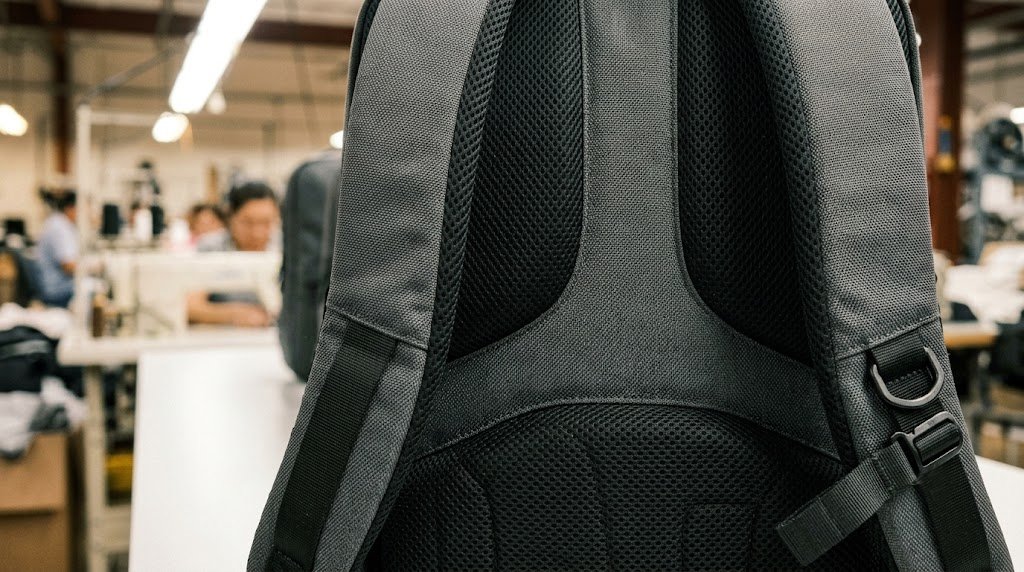
| Back sweats through everything | Flat panel traps heat against your spine | Raised channel or tensioned mesh back panel |
| Bag looks unprofessional in a meeting | Shape collapses when loaded, front looks busy | Stable face panel, minimal exterior, shape-holding structure |
Match your top risk to one feature check. That single check is worth more than reading every bullet point in a product listing.
The Laptop Compartment — Where Most Bags Fail
Every bag sold as a "laptop backpack" has a laptop pocket. That tells you nothing.
A pocket is just fabric. What matters is what’s behind the fabric, below the fabric, and around the fabric.
The Suspended Base — The Feature Nobody Photographs
Here’s the most important structural detail in a laptop backpack. Almost no product photo shows it. Almost no buyer asks for it by name.
The suspended base means the laptop sleeve ends 3–5cm above the bag’s bottom seam. When you drop the bag — and you will drop the bag — the shock travels through the outer shell first. The laptop doesn’t take the hit directly.
Without a suspended base, the laptop edge sits right at the bottom. Every time you set the bag down hard, the corner of the laptop absorbs the force. Over time, that’s how laptops crack screens, break hinges, and fail internal connections.
I check this on every sample we make. It should be the first thing you check when buying.
What a Real Protective Sleeve Looks Like
| Compartment Detail | What to Check | What It Prevents |
|---|---|---|
| Suspended base | Sleeve ends above the bag bottom seam | Direct bottom impact on laptop corners |
| Side foam | Foam panels on both sides of the sleeve | Edge and corner pressure from items next to it |
| Back foam | Foam between sleeve and the back panel | Pressure from your spine and back items |
| Sleeve width | Laptop fits with light control, not loose | Laptop shifting and bouncing during movement |
| Structural panel | Bag holds shape under full load | Torsion stress on laptop chassis |
One more thing: a "15.6-inch laptop compartment" is a diagonal screen measurement, not a chassis measurement. I’ve seen modern thin-bezel 15.6-inch laptops that don’t fit in a sleeve labelled for them because the chassis is wider than the spec assumed. Check the sleeve internal dimensions, not the label.
The Pocket Count Trap
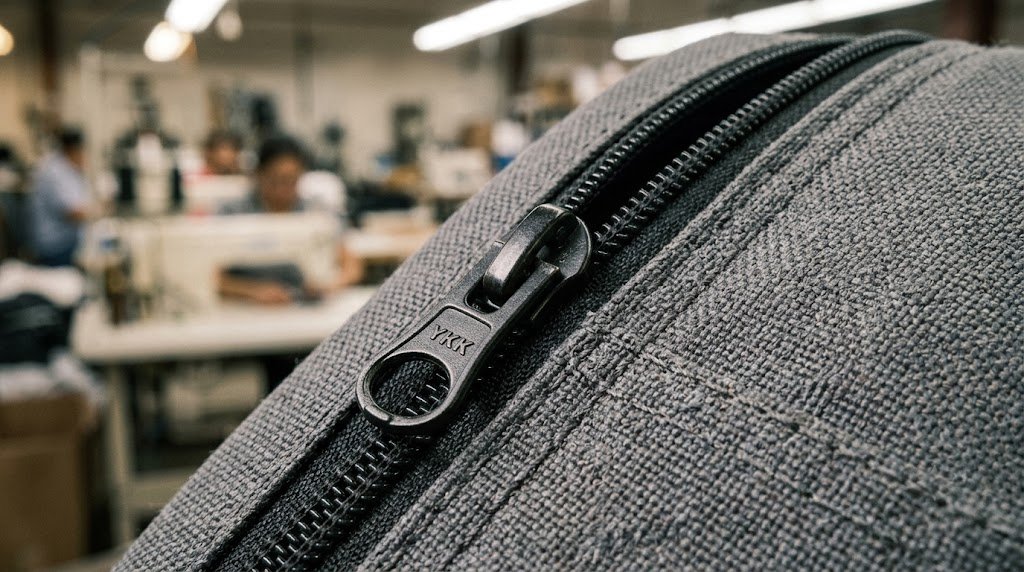
More pockets photograph well. More pockets also add weight, complexity, and failure points. Buyers rarely connect those two things.
Here’s the math nobody puts in a product listing. Every extra zippered pocket adds:
- 50–100g of fabric, zipper, and pull
- One more zipper that can fail or snag
- One more seam that creates a water entry point
- One more cutting piece in production = more chance of an inconsistency
A 12-pocket laptop backpack can weigh 1.4–1.6kg empty. Add a 2kg laptop, 400g charger and cable, a 500g water bottle, and a light jacket. You’re carrying 5.5–6kg before you’ve even packed lunch.
Your shoulders don’t care how many pockets you have. They only feel the total weight.
What Pockets Are Actually Worth Having
| Worth It | Why | |
|---|---|---|
| Dedicated laptop sleeve (suspended base) | ✅ Yes | Core function of the bag |
| Front organizer pocket | ✅ Yes | Pens, cards, cables — things you reach for without opening the main compartment |
| Side water bottle pocket | ✅ Yes | Keeps moisture away from electronics |
| One internal slip pocket | ✅ Yes | Phone, passport, flat items |
| Hidden rear pocket | ✅ For travel | Genuine anti-theft value in airports and crowds |
| USB port + cable | ❌ No | I’ll explain this below |
| Six individual pen loops | ❌ Probably not | You use two pens maximum. The other four loops add weight and production cost. |
The Marketing Features That Solve Nothing
I’m going to be direct. These three features appear constantly in laptop backpack listings. None of them protect your laptop.
USB Pass-Through Port
A USB port on a backpack is a rubber grommet and a 30cm cable sewn through the bag. It costs $0.80–$1.20 to add to the BOM. It shows up in product photos as a "smart" or "tech" feature.
It does not protect your laptop. It does not improve carry comfort. It does not make your bag more durable. It’s the feature that photographs well and solves nothing. If you want to charge on the go, buy a power bank and put it in the front pocket.
"Breathable" Back Panel Claims
The wavy foam channel looks impressive in a cross-section diagram. Here’s what it actually does in a 40-minute summer commute: marginally better than flat foam. You still sweat. The back panel still contacts your shirt.
The real value of a well-designed back panel is load distribution and lumbar support — not airflow. A contoured panel that follows the curve of your spine reduces lower back fatigue over a long commute. That’s the benefit worth paying for. Don’t buy the "breathable" marketing. Buy the lumbar contour.
"Waterproof" Without Sealed Seams
The fabric might be waterproof. The zipper teeth, the seam allowances, and the zipper slider holes are not.
Standard "waterproof" or "water-resistant" duffles and backpacks repel light rain on the fabric face only. Water gets in at the zipper runs, seam intersections, and any small puncture from wear. If you’re walking through heavy rain with a laptop, use a waterproof rain cover or a sealed inner pouch. Don’t trust a label.
For a full breakdown of the distinction: OEKO-TEX Standard 100 covers fabric safety testing, but sealed seam and zipper waterproofing are separate engineering specs entirely.
Where Price Actually Makes a Difference?
Price is a warning signal. Not a guarantee.
In 12 years of factory work, the biggest quality gap is not between $60 and $100. It’s between sub-$30 and $30–$60. That first step up buys you: better foam density, heavier zipper gauge, reinforced strap anchor, and a back panel that holds its shape after 200 uses.
The $60–$100 range often includes brand premium, not engineering premium. A $75 bag with a famous logo is not automatically better-built than a $45 bag with a cleaner spec.
| Price Range | What You Actually Get | What to Double-Check |
|---|---|---|
| Under $30 | Basic laptop storage, acceptable shell | Thin foam, light zipper gauge, minimal strap anchor reinforcement |
| $30–$60 | Better foam, heavier zippers, real structure | Quality consistency across hidden parts — press the foam, pull the strap |
| $60–$100 | Better materials + brand value | Some of that price is the logo, not the engineering |
| Above $100 | Premium materials, better warranty, design control | Verify the spec matches the price — not all premium bags are better built |
The Strap Anchor — The Silent Killer in Cheap Bags
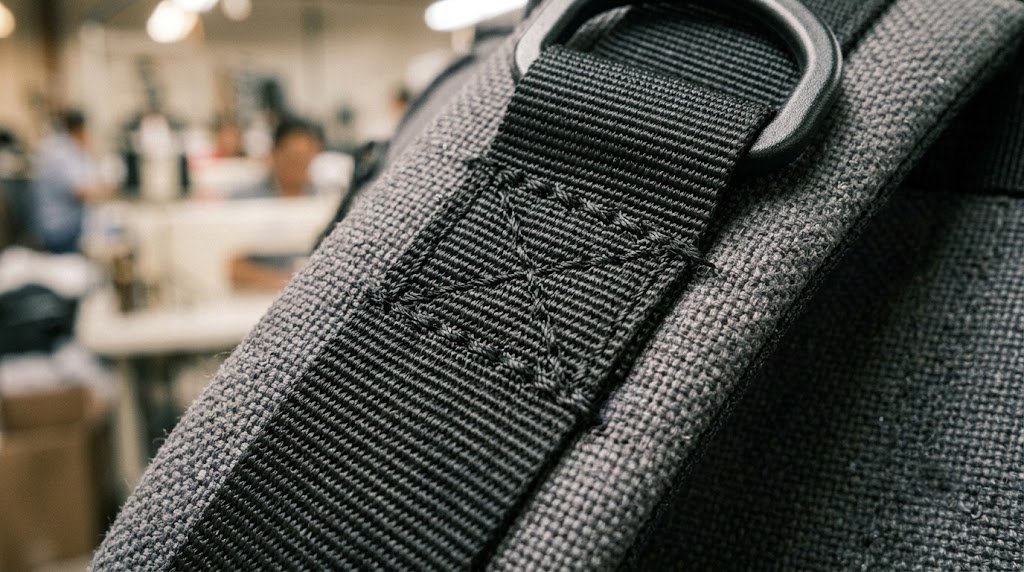
The shoulder strap anchor is the highest-stress point on any backpack. Every kilogram you carry, every hour you walk, every time you swing the bag onto one shoulder — all of that force concentrates at two points where the strap webbing is sewn to the bag body.
On a cheap bag, that anchor is 3–4 rows of straight stitch on thin webbing. It looks fine new. After 6 months of daily 5kg loads, the stitching pulls. The webbing tears. The bag is finished.
On a well-built bag, the anchor uses bar-tack reinforcement, a wider webbing base, and a reinforced backing panel behind the attachment point. It costs $0.40–$0.80 more per strap. It doubles the usable lifespan.
How to check it at point of purchase: grab the strap near the anchor and pull firmly sideways. A strong anchor barely moves. A weak one lets you feel the stitching shift.
Laptop Backpack vs. Regular Backpack
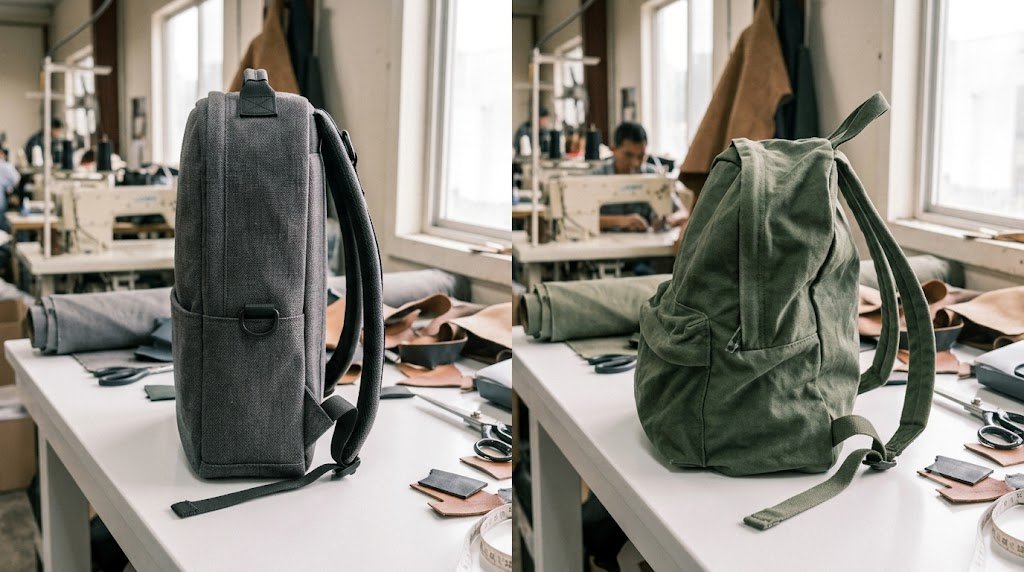
The "laptop backpack" label doesn’t mean better protection. The construction does.
I’ve seen regular daypacks with better laptop protection than bags sold specifically as "laptop backpacks." I’ve also seen laptop backpacks where the sleeve is thinner than the main compartment lining. Category names don’t tell you anything. Construction does.
| Bag Type | Best For | Real Caution |
|---|---|---|
| Laptop backpack | Daily laptop carry | Check sleeve structure — the label guarantees nothing |
| Regular daypack + padded sleeve | Occasional carry | Everything in the main compartment presses against the sleeve |
| Travel backpack | Trips and flights | Too large and heavy for daily urban commuting |
| Fashion backpack | Style, light loads | Soft structure puts your laptop against books and chargers |
My rule: if you carry a laptop more than three days a week, use a dedicated laptop backpack — but verify the suspended base before you buy it. If you carry a laptop once or twice a week and already have a padded hard-shell sleeve, a well-built daypack works fine.
Who Should Spend More To Buy A Laptop Backpack?
More money is only justified if the upgrade solves a real problem in your routine.
| Usage Pattern | What to Prioritize | What’s Not Worth Extra Money |
|---|---|---|
| Daily commute, 30+ min walk | Strap density, back panel contour, suspended base | USB ports, decorative pulls, excessive pockets |
| Business travel, 2+ trips/month | Stable shape, luggage strap, fast laptop access | Heavy premium materials that add empty weight |
| Student, heavy books daily | Reinforced bottom, bar-tacked straps, high-capacity main | Premium leather trim, fashion brand markup |
| Client meetings, image matters | Clean face, shape retention, structured front panel | Sport styling, bright colours, external straps |
| Occasional use only | Correct laptop fit, basic padding | Any premium structure you won’t use enough to justify |
Also consider the laptop itself. I’ve seen buyers protect a $1,800 work laptop in a $22 bag. That’s a poor match. The bag doesn’t need to be luxury. It needs to be built for the risk level. A mid-range bag with a verified suspended base, solid strap anchors, and correct laptop fit is more sensible than a fashion-forward bag that competes on aesthetics alone.
Certifications worth asking about when sourcing or buying quality bags: Recycled Claim Standard by Textile Exchange for recycled fabric claims, and ISO 9001 for factory quality management — ask your supplier for the certificate number, not just the logo.

How to Inspect a Laptop Backpack Before You Buy?
I inspect bags the same way whether it’s a sample on our factory table or a bag in a retail store. Here’s the exact sequence.
The 8-Point Factory Inspection
| Check Point | What I Do | Good Sign | Warning Sign |
|---|---|---|---|
| Laptop sleeve base | Open the sleeve and press the bottom | Sleeve ends above the bag bottom by 3–5cm | Sleeve reaches the bag bottom seam |
| Foam density | Press the back panel and shoulder strap | Firm resistance, springs back slowly | Compresses immediately, stays flat |
| Strap anchor | Grab strap near the body, pull sideways firmly | Solid — no stitch movement | You feel or hear the anchor shift |
| Zipper gauge | Pull the main compartment zipper across its full run | Smooth, no snag, slider feels substantial | Small slider, rough run, plastic feel on a main zip |
| Bottom fabric | Turn the bag over and press the base | Thicker layer, reinforcing panel underneath | Same thin fabric as the sides |
| Shape under load | Imagine the bag fully loaded and check the shape | Holds a clean form, panels stay flat | Collapses, bulges asymmetrically |
| Water entry points | Check where zippers meet fabric panels | Tight seam allowances, no gaps at zipper ends | Open seam ends, zipper teeth visible above the fabric |
| Laptop fit | Slide your laptop into the sleeve | Light control, laptop doesn’t shift, sleeve doesn’t bulge | Loose with movement, OR so tight the sleeve zips strain |
The Weight Test Before You Walk Out
Load the bag as you would actually carry it. Laptop, charger, water bottle, one extra item. Put it on. Walk for two minutes.
If the straps dig into your shoulders immediately — they will dig in harder over 45 minutes. If the bag pulls away from your back — it will pull harder when you’re tired. If the laptop shifts noticeably when you walk — it will shift more when you’re moving fast.
Two minutes of actual loaded carry is worth more than 20 minutes of reading specs.
FAQ
Are laptop backpacks actually better than regular backpacks for carrying a laptop?
Only when the laptop compartment has a suspended base and foam padding on both sides. A regular backpack with a padded sleeve can match or beat a poorly-built "laptop backpack." The category name means nothing. The sleeve construction means everything.
What weight should a laptop backpack be when empty?
Under 800g for a commuter bag. Under 1.2kg for a travel or business bag. Heavier than 1.5kg empty and you’ll notice fatigue before you’ve added anything. Every gram of empty bag is a gram of carry weight you didn’t need.
What is a suspended laptop compartment?
The laptop sleeve ends 3–5cm above the bottom seam of the bag. When you drop or place the bag down hard, the bag’s outer shell absorbs the impact first. The laptop doesn’t contact the bottom. This is the most important structural detail in a laptop backpack and is almost never shown in product photos.
Is a USB port on a backpack actually useful?
Rarely. It’s a grommet hole and a short cable. You still need to carry a power bank inside the bag — the USB port just routes the cable out. It adds cost to the bag, creates a small water entry point at the grommet, and solves a problem most people can fix by just having a longer cable. I wouldn’t pay extra for it.
How are laptop backpacks classified for US import tariffs?
Most fabric laptop backpacks fall under HTS Heading 4202. The specific subheading depends on the outer surface material. Verify current rates at the USITC Harmonized Tariff Schedule before pricing your landed cost.
Why does my laptop backpack strap tear at the connection point?
The anchor point between the strap webbing and the bag body is the highest-stress point on the entire bag. Cheap bags use 3–4 rows of straight stitch on a narrow webbing base. Under daily load that tears within 6–12 months. A properly bar-tacked anchor with a reinforced backing panel lasts years under the same conditions. If you’re sourcing in bulk, specify bar-tack reinforcement at strap anchors — it’s a $0.40–$0.80 cost difference that determines whether your product gets a 2-star review or a repeat order.
What is the difference between waterproof and water-resistant for laptop backpacks?
Water-resistant means the outer fabric repels light rain. The zippers, seam intersections, and small holes (like USB grommets) are not sealed. Water-resistant is the honest description for most laptop backpacks. Waterproof requires sealed seams, waterproof-rated zippers, and no unsealed openings. If your laptop is in a bag marketed as "waterproof" without sealed seams, it’s marketing language — not engineering.
Bottom Line
A laptop backpack is worth it when the structure matches the risk — not when the product name sounds right.
The suspended base protects your laptop. The strap anchor determines how long the bag lasts. The foam density determines whether your back hurts at 3pm. The pocket count and the USB port tell you almost nothing useful.
I’ve made thousands of these bags. The ones that last and get reordered are the ones where the structure was spec’d honestly for the actual use case. The ones that fail are the ones where marketing features were added to impress buyers in photos — and structural details were cut to hit a price.
Buy the structure. Ignore the features that photograph well.
→ Ask About Custom Laptop Backpack Development
📎 See our bag capabilities: Custom Laptop Backpacks — Factory Direct from Osgoodway Bag
Written by the development and sourcing team at Osgoodway — a custom bag factory with 12 years of export experience building laptop backpacks, gym bags, and travel bags for B2B buyers worldwide. We inspect what we make. We’ve seen what fails.